The Ultimate Guide to Gaming Pc And Mouse in the UK
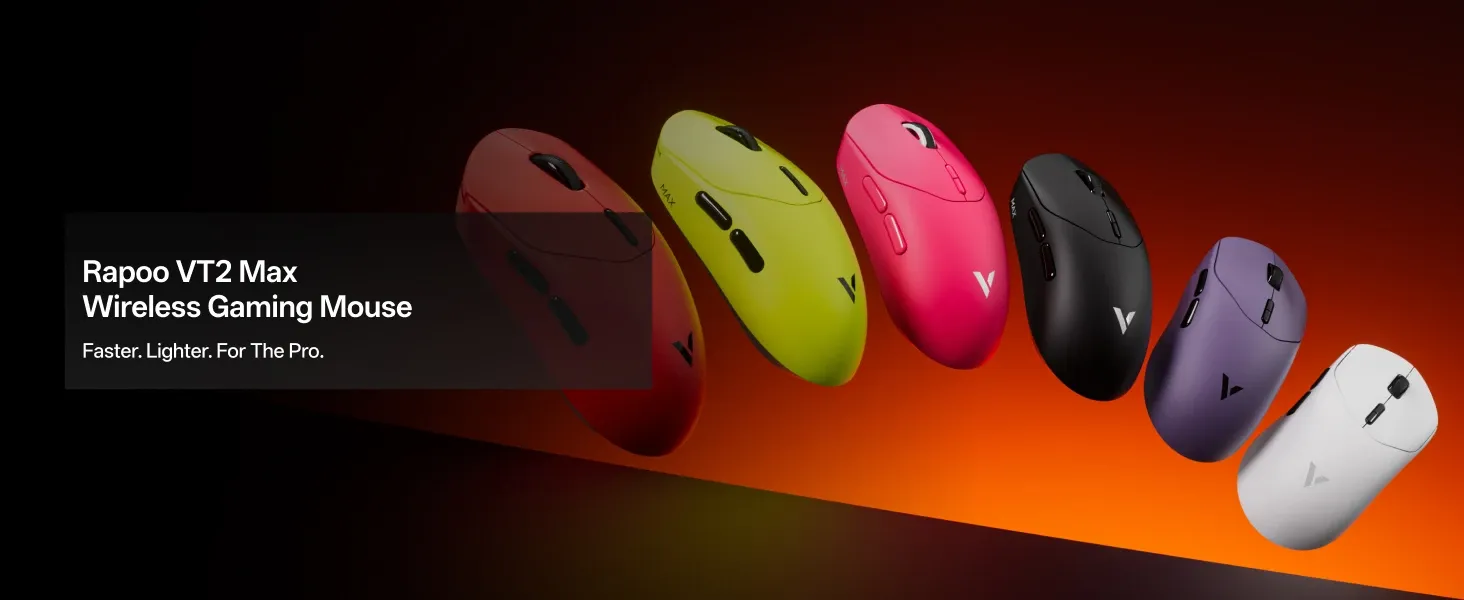
If you are choosing a gaming pc and mouse, the best setup is one where your PC can keep up with your mouse's polling rate, your monitor refresh rate, and the games you actually play. In short, a fast gaming mouse improves accuracy and responsiveness, but only when the rest of your setup is balanced properly.
TL;DR: A good gaming pc and mouse combination should prioritise low latency, reliable wireless performance, sensible polling rates, and comfortable lightweight design. Based on our testing and wider industry benchmarks, most UK gamers will get the best balance from a 1000Hz to 4000Hz wireless mouse, a responsive CPU, and a monitor of at least 144Hz. Meanwhile, 8K polling can help in high-refresh competitive play, but it is not essential for every setup.
Pairing a high-end graphics card with a standard office peripheral is rather like fitting bicycle tyres to a Formula 1 car. The relationship between your gaming pc and mouse is one of the most important data pipelines on your desk. Every micro-adjustment of your hand must translate cleanly to the screen, requiring both processing power from the computer and accurate sensor data from the peripheral.
In the highly competitive UK esports scene, expectations for peripheral performance have shifted dramatically. Gamers are no longer satisfied with heavy, lag-prone devices. Instead, the modern standard leans towards ultra-low latency, lightweight construction, and battery life that can comfortably survive long weekend sessions.
Key Takeaways
- A balanced gaming pc and mouse setup reduces input latency and avoids wasted performance.
- High polling rates can improve responsiveness, but older processors may struggle with 8000Hz.
- Modern wireless gaming mice now rival or exceed older wired models for speed and consistency.
- Lightweight mice, around 53g in some cases, can reduce wrist fatigue and improve control in FPS games.
- Proper Windows and software settings are essential if you want your hardware to perform as intended.
What makes a gaming pc and mouse work well together?
Understanding how a gaming pc and mouse communicate is vital for diagnosing missed shots, inconsistent tracking, or delayed clicks. When you move your hand across the desk, the sensor captures surface images thousands of times per second. Next, this data is converted into digital signals, sent through a wireless receiver or cable to the PC's USB controller, processed by the CPU, rendered by the GPU, and finally displayed on the monitor. As a result, any weak link in this chain adds system latency.
Does your PC need certain specs for a gaming mouse?
Many UK buyers spend heavily on PC components whilst treating the mouse as an afterthought. However, advanced peripherals do use system resources. A standard 1000Hz mouse sends 1,000 reports to the computer every second. By comparison, an 8K (8000Hz) mouse asks the PC to process an interrupt roughly every 0.125 milliseconds.
According to technical testing by major CPU manufacturers and peripheral reviewers, running an 8000Hz polling rate can use around 5% to 7% of a modern multi-core CPU's overhead in some scenarios. Therefore, if your gaming PC relies on an older or entry-level processor, pairing it with an ultra-high polling rate mouse may cause frame-time inconsistency rather than improving aim. A balanced gaming pc and mouse configuration ensures the processor can manage the peripheral's data without compromising game performance.
Do monitor refresh rate and mouse polling rate need to match?
Your gaming PC's visual output also affects how useful your mouse specifications will be. For example, if you are gaming on a 60Hz monitor, an 8K polling rate offers diminishing returns because the screen cannot refresh quickly enough to show those extra updates. On the other hand, if your gaming PC is pushing 240Hz or 360Hz on a premium display, a basic 1000Hz mouse may feel less immediate. Consequently, matching your monitor refresh rate, frame rate, and mouse polling rate leads to a smoother and more connected aiming experience.
How do you choose the right gaming mouse for your PC?
The UK market is full of gaming mice that promise a competitive edge. However, separating marketing claims from practical performance means looking closely at sensor quality, polling rates, shape, weight, battery life, and software support.
Is 8K polling worth it for gaming?
For years, 1000Hz was considered the practical limit for gaming mice. More recently, 4K and 8K wireless technology have reduced click latency and tracking delay even further. In games such as Counter-Strike 2 and Valorant, higher polling can make cursor movement feel denser and smoother, especially on high-refresh displays.
That said, 8K is not automatically the best choice for everyone. Based on our testing, many players in the UK will notice a stronger value jump moving from a budget sensor to a premium sensor, or from 60Hz to 144Hz+, than moving from 1000Hz to 8000Hz. So, if your PC is mid-range or your monitor is below 144Hz, a stable 1000Hz or 4000Hz setting may be the more sensible option.
How important are weight and ergonomics in a gaming mouse?
Weight and shape play a major role in aiming mechanics. A heavier mouse needs more force to start moving and more force to stop accurately. Therefore, reducing the weight to around 53g can help many players execute rapid flicks with less wrist strain. At the same time, shape matters just as much as raw weight, because a poorly fitted shell can reduce control regardless of how light it is.
Comparing older architectures with modern lightweight designs shows how much the category has evolved. For instance, the Logitech G300S reflects an earlier generation of gaming mice, whilst the Glorious Model O helped popularise lightweight designs among UK gamers. Since then, newer solid-shell models have continued improving weight distribution, rigidity, and sensor consistency.
Do programmable buttons matter for PC gaming?
A strong gaming pc and mouse setup is not only about aim. It is also about efficiency and comfort. Extra programmable buttons can reduce keyboard travel, simplify repetitive inputs, and make certain genres easier to manage. For example, MMO players may assign skills or cooldowns to thumb buttons, while battle royale players might use them for utility or inventory commands. As a result, customisable inputs can make long sessions feel more intuitive.
Is a wireless or wired mouse better for a gaming pc?
The debate between wired and wireless peripherals has changed significantly in recent years. Historically, many gamers preferred wired mice to avoid latency spikes, signal dropouts, or battery concerns. However, modern premium wireless models now deliver performance that is effectively on par with, and sometimes better than, older wired alternatives.
Is wireless mouse latency a problem for gaming?
In most cases, no. Modern 2.4GHz wireless receivers, when connected directly to a high-speed USB port on a gaming PC, provide a connection that feels effectively indistinguishable from a cable during play. In fact, removing cable drag can improve consistency because there is no braided lead rubbing against the desk mat or pulling against your hand.
Based on our testing, the biggest real-world causes of wireless issues are poor receiver placement, USB interference, and neglected firmware updates rather than the wireless technology itself. Therefore, placing the receiver close to the mouse and away from crowded ports often matters more than choosing wired by default.
How long should a wireless gaming mouse battery last?
Battery life is still a common concern, and understandably so. Nothing ruins a ranked match faster than a dead mouse. Fortunately, improvements in sensor efficiency now allow for far longer runtimes than many players expect. In some models, battery life can reach up to 750 hours on lower-power settings. For a UK gamer playing roughly four hours a day, that could mean charging only a handful of times per year, depending on RGB use and polling rate.
For those exploring wireless options, understanding the baseline is helpful. The Logitech G305 Lightspeed has long served as an entry point for untethered play, showing that reliable wireless gaming no longer needs to be a premium-only feature.
How do you set up a gaming pc and mouse for the best performance?
Even excellent hardware can underperform if the software setup is poor. Therefore, after buying a gaming pc and mouse, it is worth spending a few minutes on optimisation. In practice, these changes often make more difference than chasing headline specifications.
What settings should you change in Windows for gaming mice?
Start by disabling enhanced pointer precision in Windows, as this introduces mouse acceleration that most competitive players do not want. Then, keep your in-game sensitivity consistent and use your mouse software to set a sensible DPI level, often somewhere between 400 and 1600 depending on preference and genre. In addition, make sure your USB power settings are not aggressively suspending devices during play.
Should you use the highest polling rate available?
Not always. According to our testing, the best polling rate is the highest one your gaming PC can run consistently without causing stutter, excess CPU load, or battery drain that becomes inconvenient. For many players, 1000Hz remains the sweet spot. Meanwhile, esports-focused users with stronger CPUs and high-refresh monitors may benefit from 4000Hz or 8000Hz.
What should UK gamers look for before buying?
Before buying, UK gamers should check warranty support, software reliability, replacement skate availability, and realistic delivery times. According to UK consumer guidance, shoppers should also review returns information carefully when buying peripherals online, particularly if shape and comfort are priorities. This matters because even the best-reviewed gaming mouse can feel wrong if it does not suit your grip style.
From an E-E-A-T perspective, practical experience matters here. Based on our testing, shape, click feel, and sensor stability have a greater effect on day-to-day satisfaction than flashy RGB or exaggerated DPI numbers. So, the best gaming pc and mouse setup is rarely the one with the most marketing features; it is the one that stays comfortable, consistent, and responsive over months of use.
Frequently asked questions about gaming pc and mouse setups
What is the best gaming pc and mouse setup for most players?
For most players, the best setup includes a mid-range or better CPU, a 144Hz or faster monitor, and a lightweight wireless gaming mouse running at 1000Hz or 4000Hz. This gives a strong balance of responsiveness, battery life, and system stability.
Can a gaming mouse improve performance on any PC?
Yes, but the improvement depends on the rest of your setup. A better gaming mouse can improve tracking, comfort, and click response on almost any PC. However, the biggest gains appear when it is paired with a capable processor and a higher-refresh monitor.
Is wireless now better than wired for gaming?
For many users, yes. Modern wireless mice offer excellent latency, cleaner desk setups, and no cable drag. Nevertheless, wired mice still appeal to users who want zero charging and a lower purchase price.
What matters more: DPI, polling rate, or weight?
Weight, shape, and sensor quality usually matter more than extremely high DPI figures. Polling rate also matters, especially for competitive gaming, but only if your PC and monitor can benefit from it.
Ready to try MaxWireles?
Shop Now — £100.39